 WattDial
Inverter battery % doesn't match the battery: why
The inverter says 64 %, the battery's own display or app says 81 %, and the cloud app says something else again. Several things can cause this, and most of them can be fixed.
Two ways to know the state of charge
- Counting: a lithium battery's BMS (battery management system) measures the current going in and out and counts the charge. This is usually the more reliable number.
- Estimating from voltage: if the inverter does not get the % from the BMS, it estimates it from the battery voltage. With lithium iron phosphate (LiFePO4) cells the voltage stays almost flat from about full to nearly empty, so a small voltage error turns into a big % error.
Many hybrid inverters have a battery mode setting: with a lithium mode and a working BMS link (CAN or RS485, with the right protocol chosen), the inverter shows the % the BMS sends. In voltage-based modes it estimates. Check which mode your inverter is in; the installer or the inverter manual can tell you which protocol your battery needs.
Other common causes
- The BMS has drifted: counting builds up small errors over time. Most BMSs re-align at a full charge, so a battery that never reaches 100 % drifts more and more. A full charge now and then lets it reset.
- Wrong capacity setting: if the inverter or BMS is set to the wrong capacity (Ah), every % is scaled wrong.
- Several batteries in parallel: the inverter may show only the first (master) battery, or an average, while each battery's own app shows its own value.
- Rounding and timing: the inverter, the BMS and a cloud app read at different moments; a cloud app can be minutes behind.
- Temperature: a cold battery delivers less and some BMSs limit charging, so the % behaves differently in winter.
What to do
- Check that the inverter is in the lithium / BMS mode with the protocol for your battery, and that the BMS communication is shown as active.
- Check the battery capacity setting in the inverter and in the BMS.
- Let the battery charge to 100 % now and then so the BMS can re-align.
- Compare both numbers at the same moment and under a steady load before deciding which one is wrong.
See both numbers with WattDial
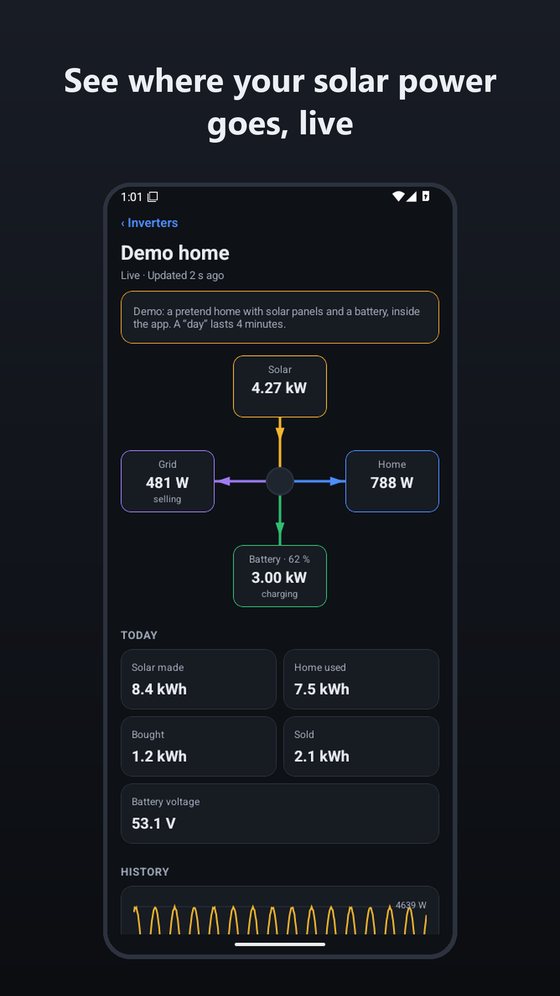
WattDial reads the inverter's battery % from Solarman-type loggers (Deye, Sunsynk, Sofar) and Fronius inverters on your home Wi-Fi. After you save the inverter, it can also read the battery's own BMS over Bluetooth (JK, JBD, Daly and more): charge, voltage, current, temperature and the lowest and highest cell.
- So you can see what the inverter believes and what the battery itself reports, in one app.
- Read-only: WattDial never changes a setting on the inverter or the battery.
- A battery talks to one app at a time over Bluetooth, so close other battery apps first.
For Android phones · Runwith (Auto Ace LLC)
Questions and answers
Which battery % is correct, the inverter's or the BMS's?
Usually the BMS's, because it counts the current. If the inverter is not in a lithium / BMS mode, it estimates from voltage, which is unreliable for LiFePO4 batteries.
Why does my battery % jump after a full charge?
Many BMSs re-align their count when the battery reaches full. If the count had drifted, the % jumps to the corrected value.
Why does the cloud app show another % again?
Cloud apps show values uploaded minutes earlier, so they can differ from what the inverter shows right now.